Personal Software #11: A Campus for the Public Work
1174 words • 6 min read • Abstract
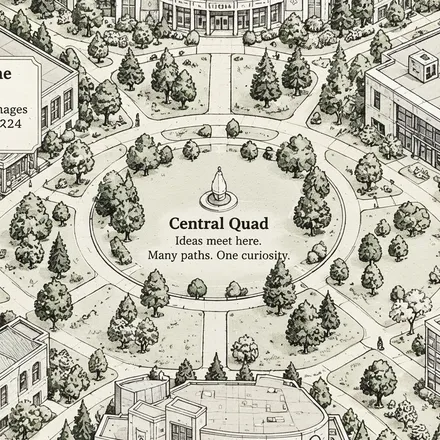
Today the count is 133 public repositories across fifteen organizations, and finding your way around them mostly requires already knowing which organization to open. Somebody who lands on the COR24 emulator has no way to discover the microkernel that runs on it, the assembler that targets it, or the 1802 work that rhymes with it. The connections exist. They just live in my head.
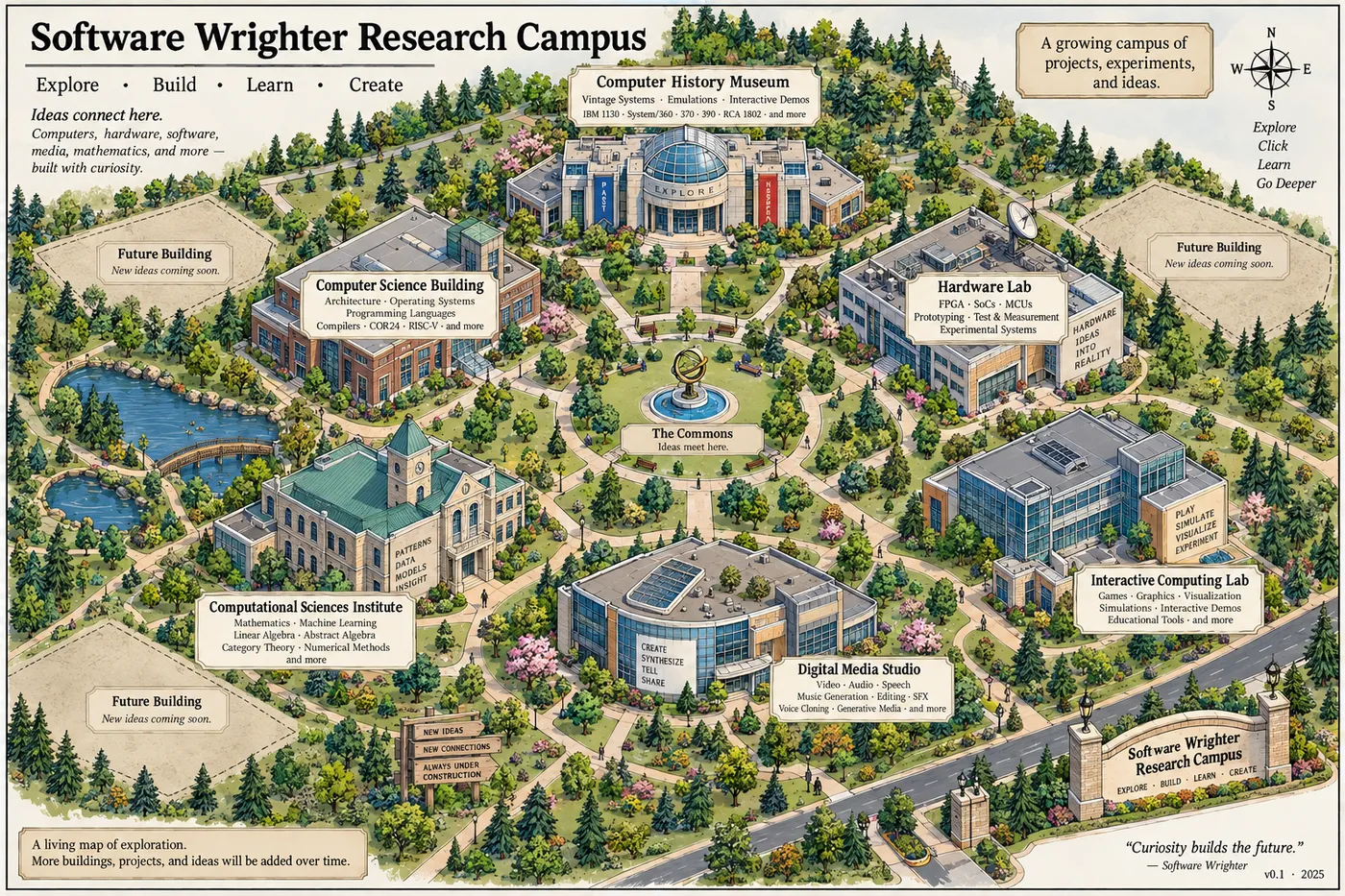
So I am building a front door: the Software Wrighter Research Campus, a single starting point for the public work, where a thing’s place on the map tells you what kind of thing it is.
| Resource | Link |
|---|---|
| Live campus | software-wrighter-lab.github.io/sw-campus |
| Source | software-wrighter-lab/sw-campus |
| Comments | Discord |
Why a map and not a list
A list of 133 repositories answers “what exists.” It does not answer the question people actually arrive with, which is some version of what kind of thing does this person build, and is any of it relevant to me?
A map answers that in one glance. Six buildings say it before you read a single name: computing history, computer science, hardware, the computational sciences, media, interactive work. You pick a building because you already know whether you care, and only then do you deal with names.
It is also the honest shape of the work. These projects are not 133 peers. They are a handful of long-running interests with many artifacts each, and the artifacts are only interesting in the context of the interest. A museum wing for the IBM 1130 — console, 1442 reader, the radio demo — says something a folder named ibm1130-* cannot.
The consolidation
Once agentic coding became genuinely useful, I started working on a lot more ideas than I used to, and my main GitHub account accumulated far too many repositories to navigate. So I split them by subject into organizations: sw-embed, sw-ml-study, sw-comp-history, sw-vibe-coding, and eleven more.
That worked for what I needed at the time. I can find things, and ongoing work in one area stays compartmentalized from the rest. What it does not do is let anybody else see the work holistically — fifteen front doors, no search across them, and no view from which the connections between them are visible.
The campus becomes the one place. Whatever happens to the organizations underneath, the answer to “where is the public work” stops being a list of URLs and becomes a single one, with the rest reachable from it and searchable within it.
Places, not repositories
This is the design decision everything else follows from: a repository is not the unit.
A place on the campus might be one repository. It might be six. It might be a historical topic with no code at all, a live demo, a single document, a research direction I have been circling for a year, or an experiment that failed in an interesting way. Git is where the code is stored; it is not a description of what the work is, and letting the storage layer pick the top-level organization is how you end up with a filing cabinet instead of a map.
So the campus has its own structure — campus, building, wing, department, exhibit, project — and repositories hang off it wherever they happen to belong. Some places will link out to GitHub. Some will link to a running demo, a blog post here, or a page that exists only on the campus. A few will link to nothing yet, because the interesting thing about them is that they are being worked on.
Every place has an address
The second requirement, and the one I care most about: every node gets its own stable, shareable URL.
/campus
/campus/computer-history
/campus/computer-history/ibm-1130
/campus/computer-history/ibm-1130/1442
Not a hash fragment, not an app that forgets where you were. A real address I can paste into a message, put in a blog post, or hand to somebody who asked one specific question — and it lands them in the right room with the breadcrumbs above them showing how they got there. If I cannot link you directly to the 1442 exhibit, the campus is a demo rather than a tool, and I would rather have the tool.
The empty lots are the point
Three plots on the map are marked Future Building — new ideas coming soon, and that is all they say. I have candidates in mind. None of them has earned a name on the map yet.
They stay empty on purpose. A campus that obviously has room to grow describes the work better than one packed edge to edge, because the work does keep growing. The footer says it plainly: a living map of exploration — more buildings, projects, and ideas will be added over time.
The same goes for what is already drawn. Not every project will get a room, and that is a feature. The campus is meant to answer what broad kinds of things does this person build — pack every repository onto it and it stops answering anything.
What it is made of
Rust, compiled to WebAssembly, with Yew generating SVG straight into the DOM. Almost no JavaScript and no Python, which suits both my preferences and the project: the semantic structure is a graph of typed Rust values, the scene layout is separate data, and an isometric projection turns grid coordinates into screen coordinates. The IBM 1130 knows it belongs to the museum; it does not know where it is drawn.
That separation is what lets me redraw the maps later — and I will — without touching the information architecture underneath. No 3D engine. A hand-placed isometric scene in SVG is sharper, smaller, and far more legible than a camera you have to fly around.
The campus is live at software-wrighter-lab.github.io/sw-campus, with the source at software-wrighter-lab/sw-campus. It starts deliberately small rather than broad — the map, the first buildings, and real URLs and breadcrumbs at every level — and everything after that is content rather than redesign.
Part 11 of the Personal Software series. View all parts
Comments or questions? SW Lab Discord or YouTube @SoftwareWrighter.