
Eigencube: Solving a Rubik's Cube with Linear Algebra, in APLSV and X_eTaL
2010 words • 11 min read • Abstract
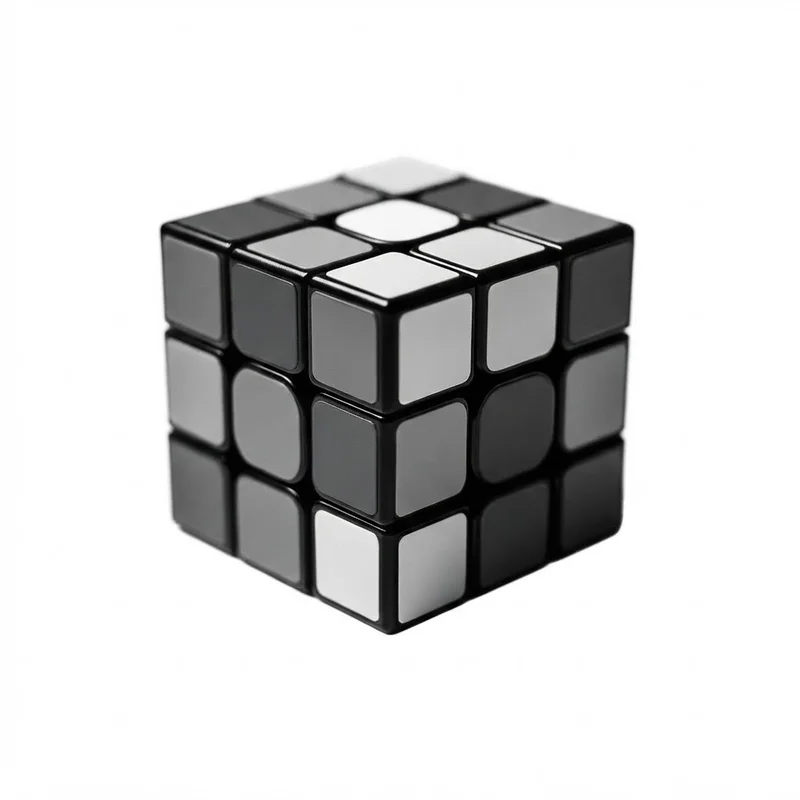
| Resource | Link |
|---|---|
| The original | smolkaj/eigencube — the Python solver, under 400 lines, with a 16-minute explainer video in its README |
| The fork | softwarewrighter/eigencube-fork |
| APLSV | sw-vibe-coding/sw-apl-workspaces — the RUBIK and EIGENCUBE workspaces, run by sw-apl |
| X_eTaL | the Eigencube page — scramble, solve, and step through the solution in the browser; its source; the language in Array Languages #1 |
| Earlier | TBT #12: the IBM 5100’s APLSV |
| Comments | Discord |
The idea: cubelets are vectors
Put the cube’s core at the origin. Each of the 26 visible cubelets has a home address, an integer vector c whose coordinates are each −1, 0 or 1. Add up the sizes of its coordinates, ignoring signs, and you get how many stickers it has: 1 for a center, 2 for an edge, 3 for a corner. The six centers never move, so they are the colors: ±x, ±y, ±z, each an eigenvector of the turns around it, which is where the name comes from.
The state is one rotation matrix R per cubelet, and the cubelet sits now at R c. A move turns the face whose outward axis is v: every cubelet with v · (R c) > 0 is in that face, and its R becomes M R, where M is the quarter-turn matrix. The cube is solved when every R leaves its cubelet’s stickers where they belong. That is the whole model: vectors, a dot product to select a face, and matrix products to turn it.
The original’s solver is a multi-phase A* search that works layer by layer, as a person would, with no precomputed databases. Its README explains all of this in a 16-minute video, made with the repository’s own animation code, which is worth watching before going further.
APLSV, 1975
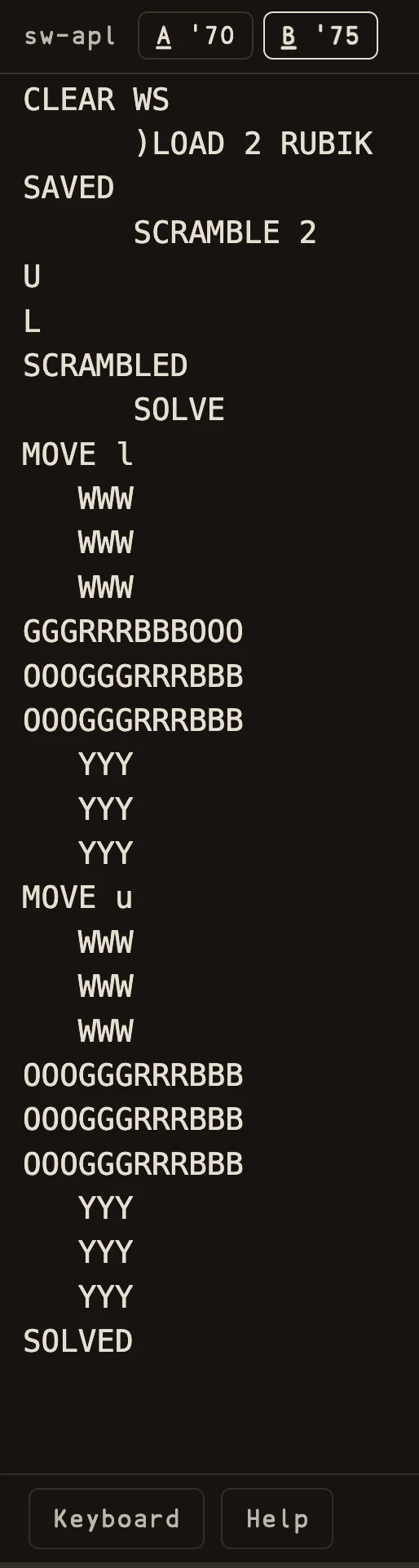
SOLVE undoing it in two moves, printing the net after each.APLSV ran on the IBM 5100 the year it shipped, and sw-apl’s (B) ‘75 mode runs it now. The sw-apl-workspaces library has two workspaces for this, each running in both of sw-apl’s modes.
EIGENCUBE is the geometry kernel, in the original’s terms. The 26 cubelets come from base-3 encoding all 27 points and compressing away the hidden center, and a turn is a matrix product with exact integer quarter-turn matrices:
CUBE←⍉((⍳27)≠14)/¯1+3 3 3⊤¯1+⍳27

∇R←M GEOTURN P
R←P+.×⍉M
∇
RUBIK is the playable cube, entirely in text. It draws the cube as a net of face letters that works on the 2741 terminal and in the browser, and it takes the classic approach for the turns themselves: 54 stickers, each face turn one permutation, with the EIGENCUBE geometry copied in. )LOAD 2 RUBIK, then SCRAMBLE 3, SHOW, STEP: each step undoes one recorded turn and prints the net. SOLVE ignores the history and searches the current stickers, to a depth of six and at most 5,000 positions, saying SEARCH BUDGET EXHAUSTED rather than running forever. The workspace is careful to call that a bounded search, not a general solver.
Side by side, the two workspaces are the contrast this post is about: the sticker model a 1975 programmer would reach for, and the geometric one the Eigencube makes possible, in the same language.
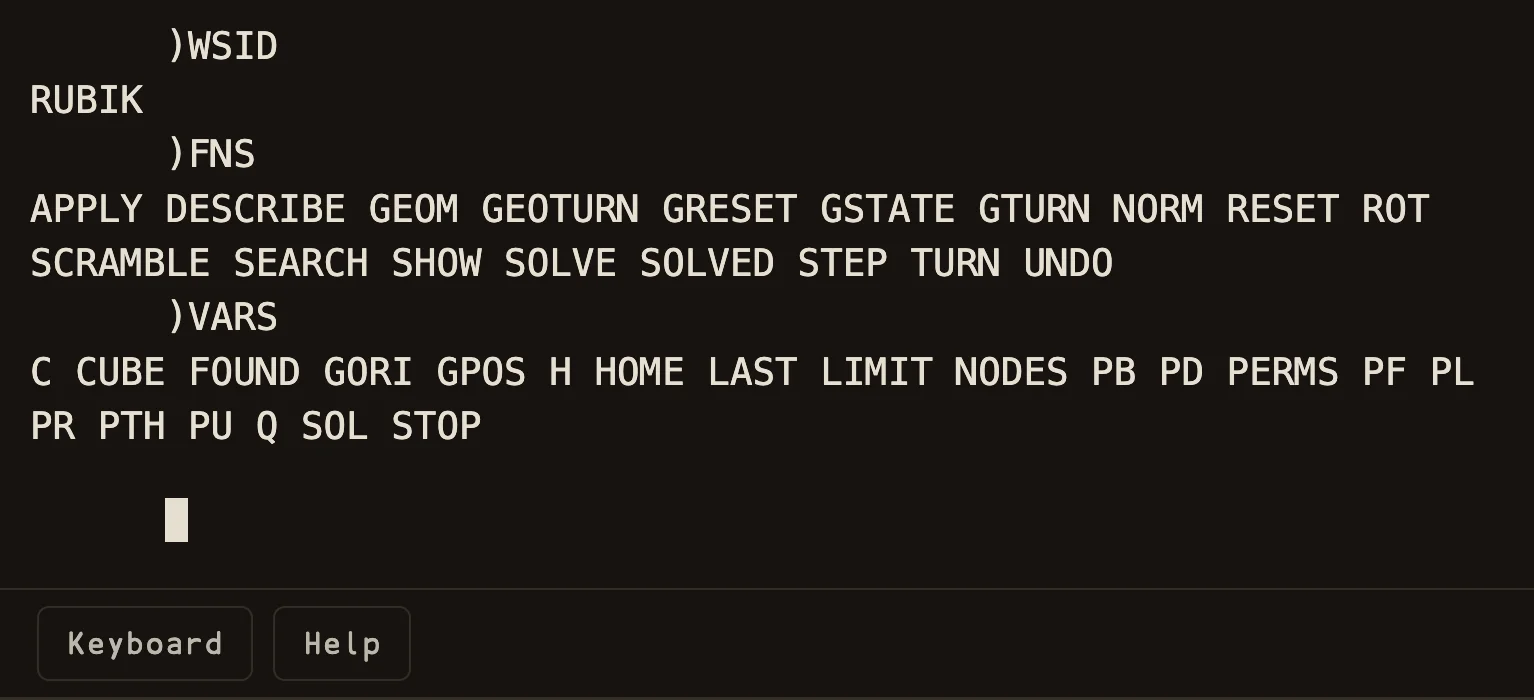
)FNS lists its functions, among them GEOTURN and ROT copied in from EIGENCUBE, and )VARS its variables.X_eTaL: a batch of cubes is one array
The X_eTaL port goes further than the original in one direction: it never handles one cube at a time. A batch of n cubes is one array of shape n × 26 × 3 × 3, a rotation matrix for every cubelet of every cube. The cubelets come out the same way as in APL:
C ← (0 < '+ r̲/₂ a̲bs pts) r̲eplicate pts
The twelve quarter-turn matrices are built rather than typed in, from Rodrigues’ formula: a quarter turn about axis v is v vᵀ minus the cross-product matrix of v, with the sign flipped for the other direction. All twelve are computed in one expression and stacked into a single 36 × 3 matrix:
Mf ← (((3 r̲eplicate 1 2 3) s̲elect₂ V) × (9 r̲eshape 1 2 3) s̲elect₂ V) − (12 9 r̲eshape 9 r̲eplicate dir) × V '+ '× i̲nner E
M ← 36 3 r̲eshape Mf
and then every turn of every cube in the batch is one inner product with that stack, between two transposes that line the axes up:
ᵘt̲urns ← { R →
  n ← t̲ally R
  1 3 2 4 t̲ranspose (12 3 c̲at n c̲at 3) r̲eshape M '+ '× i̲nner 2 1 3 t̲ranspose R
}
That is where an array language pays off. A search expands its candidate cubes by every possible move, and that is the same few lines whether it holds one cube or a thousand.
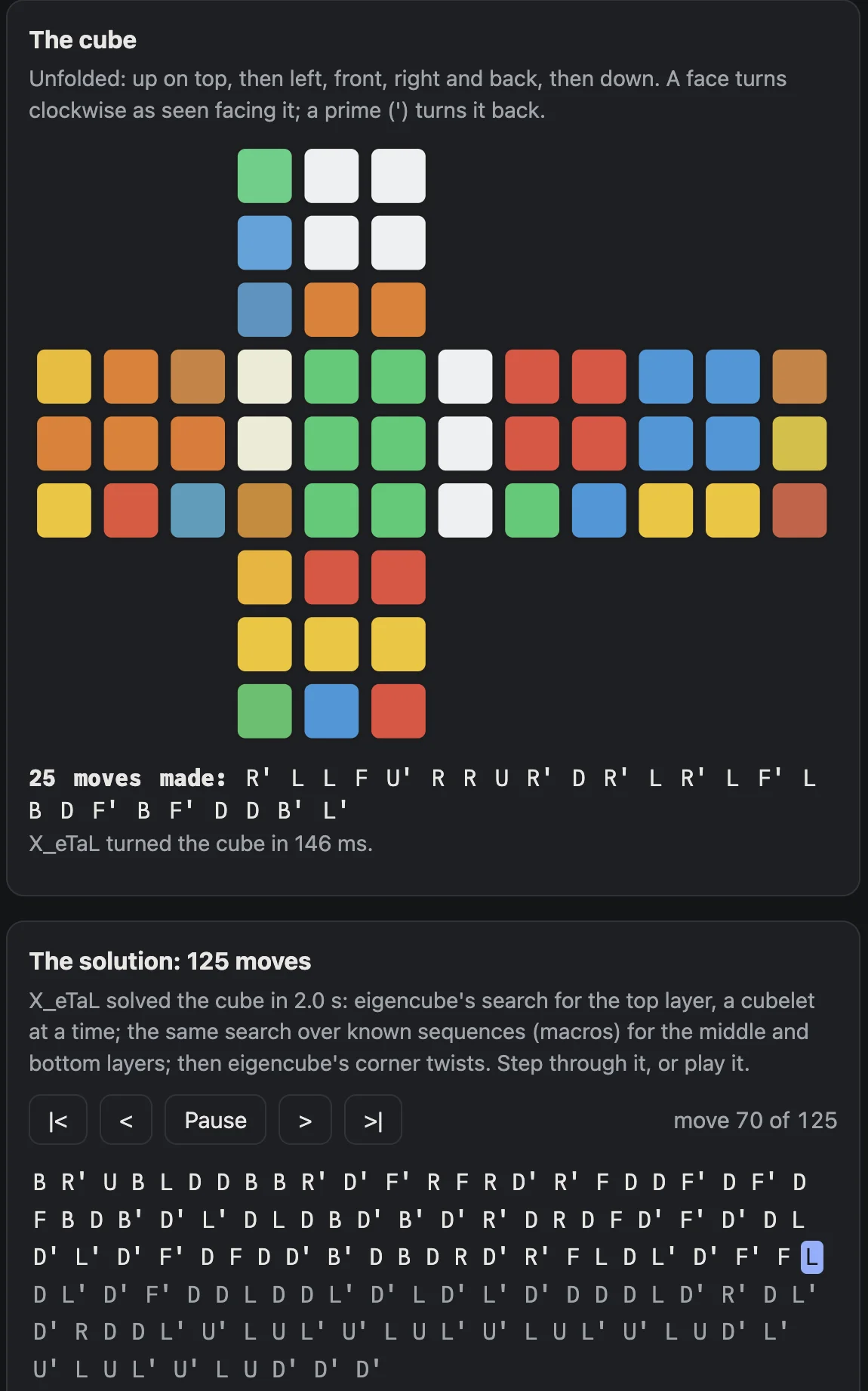
The solver works, in a 2D web page in the X_eTaL-demos catalog: turn the faces, scramble, solve, then step through the solution or play it. Each click runs the X_eTaL program in the browser and draws the stickers it prints.
It follows eigencube.py’s stages. The top and middle layers are solved a cubelet at a time, then the bottom edges and the bottom corners’ places, each stage an A* search, and eigencube.py’s corner twist finishes the bottom. The goals and the heuristic are matrix products too: a stage counts the solved cubelets it cares about, and the heuristic sums the square roots of each cubelet’s distance from home.
One thing differs from the original. eigencube.py finds every maneuver by search, which is quick for the top layer. A middle or bottom cubelet needs a maneuver of about ten moves that breaks the solved layers and mends them, and the heuristic only gets worse along the way. Searching that one turn at a time takes minutes in X_eTaL. So the page searches the middle and bottom stages over known sequences instead: D turns, and the ones a person solving by hand uses, such as inserting a middle edge, Sune, and a corner cycle. The goals, the heuristic and the search are still eigencube.py’s, and a stage now needs one to four of those sequences.
The solutions are long. A layer method that places one cubelet at a time makes long solutions in the original too, and the sequences are joined as they are, so a D next to a D’ is not canceled. The demo’s notes put a 20- to 30-move scramble at 2 to 3 seconds and 112 to 176 moves at the command line, and about 3 seconds in the page.
The solver also uses tuples, a feature that just landed in X_eTaL. Each stage carries several arrays of different shapes, and every X_eTaL array has a single element type, so without tuples that state had to be boxed by hand and unpacked by position. Now a tuple carries it through p̲ower, and patterns name its parts:
ᵘs̲olve ← { hybrid S →
  (S1, ms, lens) ← 29 '{ st → hybrid ᵘs̲tage st } p̲ower (S, o̲ffsets 0, o̲ffsets 0)
  (_, all) ← ᵘf̲inish 4 'ᵘc̲orner p̲ower (S1, ms)
  (all, lens, (t̲ally all) − t̲ally ms)
}
A cube you can see
The APLSV version is text only, and the solver above draws a flat, unfolded cube. A third piece, in progress in the X_eTaL-extensions repository, draws the cube. Its scene extension, which renders 3D in a native window, already builds voxel worlds; the next voxel demo is a Rubik’s cube. Its X_eTaL library, Rubik.xtl, takes a third approach to the turns: the cube is its 54 stickers, each with its cubelet’s position and the direction it faces, and each quarter turn is a permutation of the 54 that is computed from the geometry, by rotating one layer’s stickers and matching them back, rather than typed in. Next come turns by keys, a valid scramble, undo back to solved, and on-screen buttons for all twelve turns.
That demo shows and turns the cube; it doesn’t solve it yet. The obvious next step is to put the two together: the eigencube solver choosing the moves, the voxel cube playing them.
Three languages, one idea
The idea survives every translation because it is mathematics, not code: vectors for places, matrices for turns, a dot product to pick a face. What changes is how much of the bookkeeping each language makes you write. Python spells the loops. APLSV in 1975 already had the inner product and the encode that the geometry needs, though the playable workspace still turns stickers. And X_eTaL lets the batch, not the cube, be the unit, so the search expands every candidate in one product — and, in a separate demo, computes the sticker permutations from the same geometry so the cube can be drawn and turned.
Part 5 of the General Technology series. View all parts
Comments or questions? SW Lab Discord or YouTube @SoftwareWrighter.