Why I Use #4: My Own Tools, From Finding a Project to Shipping Its README
1046 words • 6 min read • Abstract
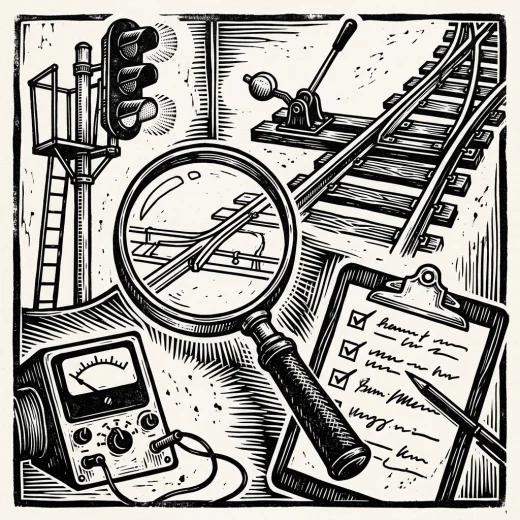
The first three posts in this series were about languages. This one is about tools I wrote for myself, and I use them at different levels of the same working day: where is the project, what is the next step, did I break anything, is the code still well built, and will its README display. Each is a small command-line program written in Rust.

| Resource | Link |
|---|---|
| pjmai-rs | sw-cli-tools/pjmai-rs; TBT #6, history and fuzzy completion |
| agentrail | sw-vibe-coding/agentrail-rs; AI Tools #2, Saw #15 |
| reg-rs | sw-cli-tools/reg-rs; TBT #7 |
| sw-checklist | softwarewrighter/sw-checklist; AI Tools #3 |
| markdown-checker | softwarewrighter/markdown-checker |
| The series | Why I Use: every post |
| Comments | Discord |
pjmai-rs: where is the project?
I develop on several machines, and each has its own set of repositories in its own places. pjmai-rs keeps a registry of them and hooks into the shell, so I can find where any project sits on the machine I am on and go there:
scpj              # scan for git repositories and add the new ones
lspj              # list every project on this system
chpj myproject    # switch to one
It also keeps a navigation history (hypj) and completes project names fuzzily. TBT #6 tells where the idea came from.
agentrail: what is the next step?
Once I am in a project, agentrail holds the plan. Work is a saga of numbered steps, committed with the code, so the plan, its progress and the record of what each step did live in the repository rather than in a chat that a new context will not remember. It was built to keep AI agents on track across fresh contexts, and it does the same for me.
Plans change, so it has to handle more than a straight line: inserting and reordering steps, reopening one, and taking a detour without losing the thread (AI Tools #2), and, now that several agents often work the same family of repositories at once, recording work done in parallel or somewhere else (Saw #15).
reg-rs: did I break anything?

reg-rs creates, discovers, runs and reports on regression tests: run a command, keep its output as the golden result, and fail when the output changes. That is what lets me change code with confidence, whether a refactoring, a fix or a new feature. For the compilers, interpreters and emulators I build, the output is the specification, and a golden test notices what no unit test thought to ask. It has run under most of what this blog has shown lately, from X_eTaL’s hundreds of goldens to the Forth kernel that rebuilds itself. TBT #7 traces it from C++ to Java to Rust.
sw-checklist: is it still well built?
sw-checklist reins in bad practice. It checks a project against my standards, including size limits that warn first and then fail:
| Measure | Warns over | Fails over |
|---|---|---|
| Lines in a function | 25 | 50 |
| Lines in a file | 350 | 500 |
| Functions in a module | 4 | 7 |
| Modules in a crate | 4 | 7 |
| Crates in a project | 4 | 7 |
The limits are a forcing function. Code that stays under them tends to be readable, maintainable, extensible, modular and loosely coupled, because the only way to grow is to split things along their seams. AI Tools #3 covers how it works as a ratchet on AI coding agents, which otherwise grow functions and files without limit.
markdown-checker: will the README display?


The smallest of them. markdown-checker makes sure a project’s main README.md contains only plain, printable characters, so that nothing in it keeps GitHub from rendering the page as intended. The usual offenders are the tree-drawing symbols people paste in to show a directory layout; markdown-checker --fix replaces them with ASCII equivalents.
Five levels, one day
Read in order, they follow a working session: find the project, pick up the plan, change the code without breaking it, keep the code in shape, and publish a README that displays.
Part 4 of the Why I Use series. View all parts
Comments or questions? SW Lab Discord or YouTube @SoftwareWrighter.