Why I Use #6: Coding Agents, and the Models Around Them
2495 words • 13 min read • Abstract
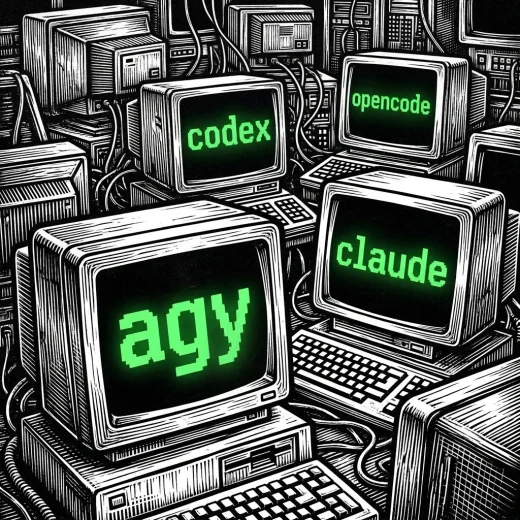
The prior post in this series was about GNU’s tools, which I have used for decades. This one is about the newest row on my timeline of tools, and the fastest-moving: coding agents. Claude Code since 2025, and this year Codex, Gemini and OpenCode beside it, with Gemini CLI’s replacement, Antigravity, now getting another try.
| Resource | Link |
|---|---|
| Claude Code | claude.com/claude-code |
| Codex | OpenAI Codex |
| Antigravity | antigravity.google; the Gemini CLI shutdown notice |
| OpenCode | OpenCode.ai; models from Z.ai |
| Earlier posts | AI Tools: every post |
| The series | Why I Use: every post |
| Comments | Discord |
One workflow, several agents
I run every agent the same way: the same machine, the same project, the same shell and tmux session. What changes between them is the agent and not the setup (AI Tools #4), which makes them easier to compare and lets several work at once.
All Together Now coordinated Claude Code and OpenCode agents in one web UI. The agents now work on Arch Linux machines, one user per agent.
Claude Code
Claude Code is the one I have used longest, since 2025, and the one I use most.
It restarted the stuck sound-effects project in AI Tools #8, where February’s attempt with another agent had stalled. Claude in the cloud worked on several repositories at once to move the Reva and CoSy forks over one weekend.
Two things matter most in how I use it now: skills, sets of instructions an agent loads for one kind of task, and agents running in the cloud in parallel.
I use Claude Code to implement most of my software projects.
Codex
What is SCPI? Standard Commands for Programmable Instruments, a text command language for test and measurement equipment, defined in 1990 on top of the IEEE 488.2 standard. Power supplies, function generators, oscilloscopes and multimeters from most vendors accept it, over USB, Ethernet, GPIB or a serial port. Commands are short words in a tree, each instrument adds its own branches, and a question mark turns a command into a query.
OpenAI’s coding agent, the command-line side of ChatGPT. I use Codex for work that is not mainly coding. Blogging is one, sometimes split between Claude and Codex. Hardware is another: flashing microcontrollers, developing embedded software, and talking to lab equipment over USB with SCPI commands. Codex sets up the bench from a script:
- power supply: voltage, current limit and output, such as
VOLT 3.3,CURR 0.5,OUTP ON - function generator: waveform, frequency and amplitude, such as
FUNC SQU,FREQ 1000,VOLT 2 - oscilloscope: time base, channel scale and trigger level, such as
:TIM:SCAL 0.001,:CHAN1:SCAL 1,:TRIG:EDGE:LEV 1.5 - multimeter: a reading, such as
MEAS:VOLT:DC?
Those are typical forms; each instrument’s exact commands are in its programming manual, and *IDN? asks any of them which instrument it is.
Gemini, now Antigravity
I have used the Gemini CLI in the past, but preferred the other CLIs over it. Now Google has replaced it with Antigravity, and I am trying it again.
It has already passed one test that matters to me. I keep a Rust puzzle, which I have not published, that I use to evaluate open-weight models, and Antigravity solved it where many open models cannot.
On June 18, 2026 the Gemini CLI stopped serving requests for individual accounts (Google AI Pro, Google AI Ultra and the free tier), with the Antigravity CLI as its replacement. Enterprise Gemini Code Assist licenses and API-key use were not affected.
What that means in practice:
- The command is
agy, notgemini. Scripts and CI jobs that callgeminineed changing. - The configuration mostly carried over. Antigravity’s installer finds the Gemini CLI directory and copies its skills, MCP servers, agents and
GEMINI.mdfiles across, and its global configuration still lives under~/.gemini/; per-project configuration moves to an.agents/directory. - It is an agent, not a wrapper. The new CLI shares its agent harness with Google’s Antigravity desktop platform and runs multi-step work, tests and skills in the shell.
The models underneath are still Gemini.
OpenCode, with Z.ai’s GLM
OpenCode is the open one: an agent that can drive many models. I use it with Z.ai’s GLM models on its developer plan.
It wrote the first attempt at the sound-effects project with GLM-4.7 in February, and it ran beside Claude Code under All Together Now with GLM-5. Because it can point at any model, it is the harness I used to test local models in a plan, execute and review loop. It is also the architectural reference for the coding agent I wrote in MLPL.
Today I use OpenCode with Z.ai’s GLM-5.x models for junior coding tasks, for updating web sites, for keeping track of GitHub commits and pull requests, and sometimes for vibe-maintenance.
What my local GPUs do now
Local models do plenty of other work for me, just not coding yet. I download open-weight models from Hugging Face and run each on whichever of my GPUs has enough VRAM for it:
| Task | Model |
|---|---|
| Text to image | Stable Diffusion (Stability AI) |
| Image to 3D model | TRELLIS (Microsoft) |
| Speech to text | Whisper (OpenAI) |
| Text to speech | SpeechT5 and VibeVoice (Microsoft) |
| Voice cloning | VibeVoice, from a short voice sample |
| Lip-syncing a face to speech | MuseTalk (Tencent Music’s Lyra Lab) |
| Image to video | Wan 2.x (Alibaba) |
NightCafe, in the cloud
For images and video I also use NightCafe, a site that hosts many, many image and video models in the cloud. I use it for text to image, image editing and image to video, and Nano Banana 2.1 most of all.
Two of its features matter to me: consistent characters, which keep the same character across many images, and templates, both the community’s and custom ones of my own.
Local coding agents
I do run coding agents against local models. The agents are:
- OpenCode and Pi
- emacs-agent, my agent inside Emacs, which keeps every conversation as an Org transcript; it is written in Emacs Lisp, with a Rust back end in progress
- mlplcode, written in sw-MLPL with Rust underneath, with X_eTaL likely next
emacs-ai-api gives Emacs one gateway to cloud and local models alike. The agents reach the models through Ollama, llama.cpp, vLLM, FreeToken and Strata, and AI Tools #6 measured some of them.
Even so, I still do not rely on local models to produce code or documentation.
But I am still planning a local team of AI coding agents running on distributed local CPUs, and it is closer than it was. Recent work such as FreeToken, Strata and Avalon lets decent coding models, built on mixture-of-experts and speculative decoding, run on the smaller GPUs I have.
FreeToken and Strata are optimizations for NVIDIA GPUs, where a card’s VRAM is separate from system memory and the model has to be split between them; a Mac’s unified memory does not need them.
The problem they solve is bandwidth. A GPU reads its own VRAM fast, but everything that does not fit there lives in system RAM, on the far side of a PCIe bus that is much slower than either memory.
Most of my workstations and rack servers are PCIe 3: HPE ProLiant Gen8, Gen9 and Gen10 servers, Dell Precision T7910 workstations and a Lenovo ThinkStation P520. PCIe 3 gives a card about 16 GB/s with sixteen lanes, or half that with eight. Two of the servers have 640 GB of RAM each, room for a large model’s cold experts: a 2U Gen8 with four Xeons, and a 1U Gen10 Plus with one. The Gen10 Plus is the newest, and the one that is PCIe 4, which doubles that. Approximate peak figures:
| Path | Bandwidth |
|---|---|
| PCIe 3.0, x16 (most of my machines) / x8 | about 16 / 8 GB/s |
| PCIe 4.0 / 5.0, x16 | about 32 / 64 GB/s |
| System RAM, DDR3, four channels (Gen8) | about 40 to 50 GB/s per socket |
| System RAM, DDR4, four or six channels (T7910, P520, Gen9, Gen10) | about 70 to 130 GB/s per socket |
| Apple M3 Pro unified memory, LPDDR5 | about 150 GB/s |
| Tesla P4 / A2 VRAM | about 190 / 200 GB/s |
| System RAM, DDR4-3200, eight channels (Gen10 Plus) | about 200 GB/s |
| GTX 1660 Super VRAM | about 340 GB/s |
| Apple M1 Max unified memory, LPDDR5 | about 400 GB/s |
| RTX 5060 Ti VRAM | about 450 GB/s |
| RTX 4070 VRAM | about 500 GB/s |
| RTX 3090 VRAM | about 940 GB/s |
Two things stand out.
Newer is not faster. The 3090, from 2020, has nearly twice the memory bandwidth of the 4070 and twice that of the 5060 Ti. The 5060 Ti’s eight PCIe 5 lanes also drop to about 8 GB/s in a PCIe 3 slot.
The bus is the bottleneck. If a token needs 3 GB of weights that are not in VRAM, copying them over PCIe 3 takes about 190 ms, a ceiling of about five tokens a second. The 3090 reads the same 3 GB from its own VRAM in about 3 ms.
That is what FreeToken and Strata work around. A mixture-of-experts model touches only a few of its experts per token, so they keep the most-used experts resident in VRAM and leave the rest in system RAM. The CPU computes those where they sit, reading them at RAM speed instead of copying them across the bus.
On unified memory, the CPU and GPU share one pool, and there is nothing to copy. But Apple Silicon has its own bandwidth tiers. I ran out of room on my M3 Pro with 18 GB, where macOS lets the GPU use only about two thirds of memory, when I went looking for a bigger model.
Researching it, I found that the M3 Pro reads its memory at about 150 GB/s, less than the M2 Pro before it. The older M1 Max reads at about 400 GB/s and comes with up to 64 GB.
Refurbished, the two cost about the same, as of this fall: around $1,200 to $1,400 for a 14-inch M3 Pro with 18 GB, and around $1,350 to $1,400 for an M1 Max with 64 GB.
I ended up with the M1 Max. Its 64 GB seems big enough to run decent coding models that did not fit on my 16 GB or 24 GB NVIDIA cards.
My Strata work so far is an experiment on an Arch Linux machine. I expect to use the local team for toy projects first, and then perhaps for daily development.
How I choose
I have no measurements to justify these choices. They are what I have settled into:
| For | I use |
|---|---|
| Research, architecture, high-level planning | ChatGPT, on the web |
| Implementing most software projects | Claude Code |
| Non-coding work, blogging (shared with Claude), hardware and embedded work | Codex |
| Junior coding tasks, web site updates, GitHub commit and pull-request tracking, some maintenance | OpenCode with GLM-5.x |
| Trying again, after it passed my Rust puzzle | Antigravity |
The goal for the local team is that it gets better. I want the local agents to learn from feedback nightly, by fine-tuning on the day’s work, toward a self-improving virtual development team. Someday that learning may move from nightly postmortems to continuous learning, the subject of my Towards Continuous LLM Learning series.
Part 6 of the Why I Use series. View all parts
Comments or questions? SW Lab Discord or YouTube @SoftwareWrighter.