
Saw #18: Fine-Tuning, Manifolds, Ray Tracing, a Debugger, and More
3107 words • 16 min read • Abstract
Eight saws this week, all of them about later work: two new X_eTaL repositories, one for fine-tuning and one for manifolds; ray tracing in X_eTaL itself; animated terminals for my APL demos; clearer advice on applying a group; a debugger for X_eTaL, on the way to editors and IDEs; a sharper HLASM for PL/SW; and a friendlier reva-fork.
| Resource | Link |
|---|---|
| Fine-tuning | X_eTaL-fine-tuning, the lessons; Sparks of Weight-Space Programming |
| Manifolds | X_eTaL-manifolds, the pages |
| Ray tracing | Array Languages #20; X_eTaL-gpu, X_eTaL-libraries |
| Debugger and editors | X_eTaL’s debugger plan and editors plan |
| HLASM | sw-cor24-hlasm; Dogfooding #2 |
| Terminals | console-3D, s5100-3D |
| reva-fork | Dogfooding #3; the repository, Reva in the browser |
| The series | Sharpen the Saw: every post |
| “Sharpen the Saw” | The 7 Habits of Highly Effective People (Stephen Covey) |
| Comments | Discord |
Fine-tuning, a lesson at a time
X_eTaL-fine-tuning teaches how fine-tuning changes what a trained model does by changing some of its numbers, from a single weight and its error up to low-rank adapters. It grows out of the LoRA explorer in X_eTaL-ML, which shows the math of one adapted layer; here the same libraries sit behind lessons for someone who knows arithmetic and has never trained a network.
Every lesson runs the same way: a question and your prediction, one small experiment, what changed in plain words and measured numbers, then the math and the X_eTaL code, as deep as you want to go. Each has three depths, beginner, explorer and advanced, over the same computation, and the forward pass and a training step can be stepped through, forward and back.
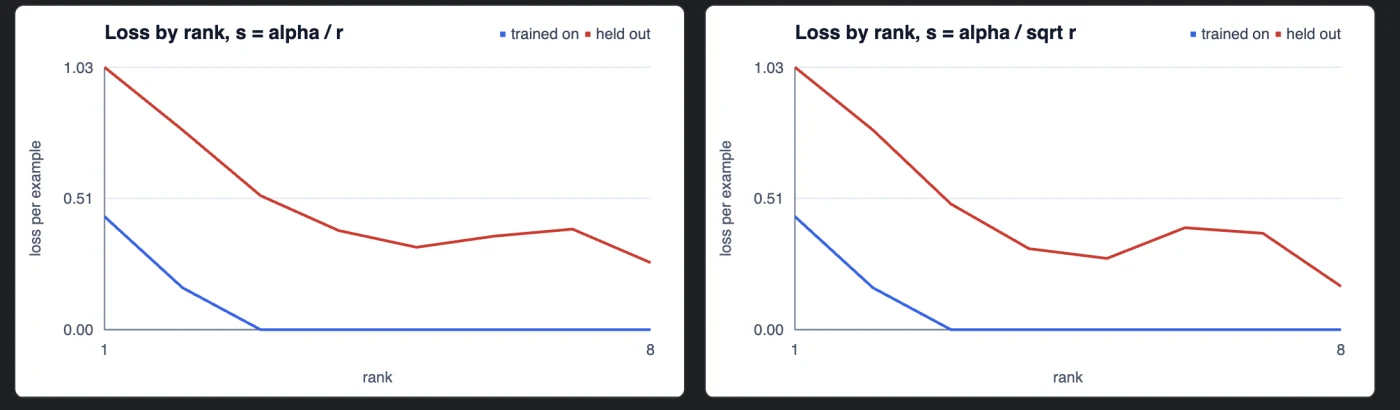
Four lessons so far: LoRA’s first example, a LoRA layer’s forward pass a stage at a time, one training step in six stages, and a lesson on rank and scaling that sweeps the rank under the two common scalings, alpha / r and alpha / sqrt r.
The plan goes from there to LoRA’s variations, then alternatives to it, among them learning without back-propagation, and then direct edits to a model’s weights, including an AI doing the editing.
It comes out of my ML study group’s discussions: first about fine-tuning, and lately about training weight-space models without back-propagation, and the recent excitement over an LLM editing another model’s weights directly: MIT CSAIL’s Sparks of Weight-Space Programming, in which GPT-6 Astra read Qwen3.5-0.8B’s weights and changed about 0.016% of them, no gradients, and raised its MATH-500 score from 7.9% to 48.1%. VentureBeat called it “like gene editing for neural networks”. There are skeptical readings too, such as What Is Measured and What Is Anecdote, and Simon Willison found a model on his laptop could interpret weights too. As I read it so far, weight-space programming fixes what a model already has, removing obstacles and errors such as the reasoning loops that held back Qwen’s math, rather than adding a capability the model never had. That makes it different from fine-tuning, at least for now; weight-space reprogramming might be a better name.
Manifolds and machine learning
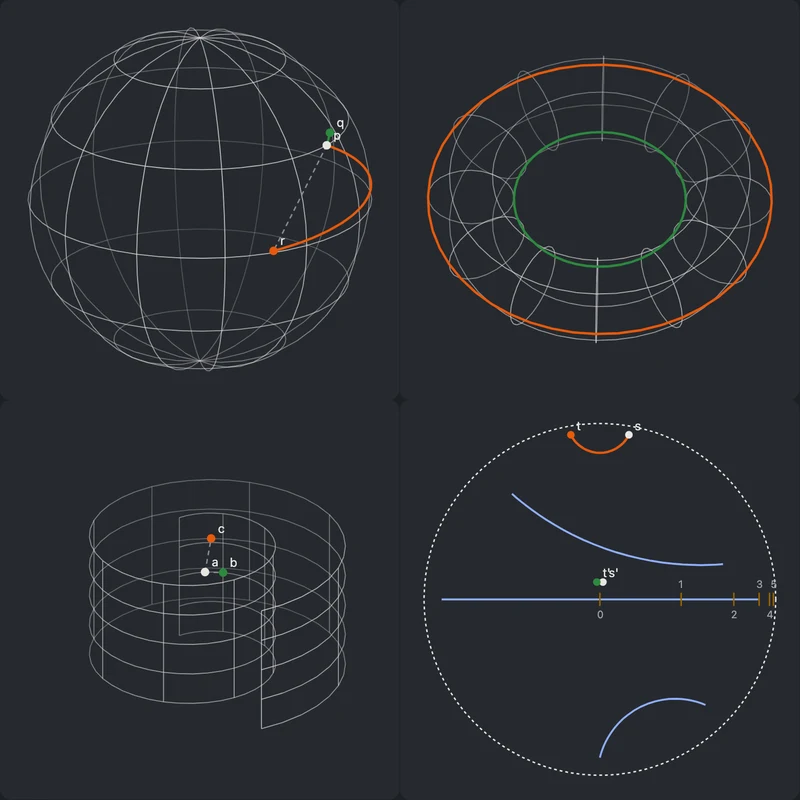
X_eTaL-manifolds asks one question: how does the geometry of a representation, a parameter space or a transformation affect how a model learns and infers? Vectors live in a space with a shape, a gradient points downhill only once you have said how distance is measured, and a learned matrix may be held to a set of permitted ones. Those are choices, and they can be changed one at a time.
It keeps five ideas apart, because each can change without the others: the manifold (what space the data occupy), vector fields (which way a point moves), the metric (how distance and steepness are measured), topology (how the space is connected), and dynamics (how a representation moves during training). Every demo compares at least two geometric choices on the same small problem, and a result that says a geometry cost more and helped nothing is kept and shown.
So far: the first live page, a tour of drawn spaces and the Poincaré ball; an experiment kit with three seeded data sets, a measure of distortion and a nearest-neighbor baseline; and a research foundation of a glossary, a paper catalog and the open questions.
I watch math videos, and manifolds are something I want to learn more about in general. I also want to see how work like DeepSeek’s mHC, manifold-constrained hyper-connections, which I implemented in February, which keeps a network’s residual mixing on a manifold to steady training, relates to them, and whether manifolds can inspire new ways to encode or manipulate training.
Ray tracing, without Blender
The last Saw used Blender to render 3D models made with X_eTaL. This week X_eTaL renders by itself: a ray tracer written as ordinary array code in X_eTaL-libraries, run on the CPU and, through X_eTaL-gpu, on an RTX 5060 Ti and an M1 Max. Glass, reflections, soft shadows and an animated logo, all in Array Languages #20.
A friendlier reva-fork
reva-fork, my port of Reva Forth to Rust and WebAssembly, got easier to use, to support future work in CoSy. Release 2026.1107.0 adds an ls word and makes pp work without remembering which needs line loads it, and earlier releases this week added errors that name the file, line and calling words, and opt-in checks for underflow, bad execute and compiling. The details are in Dogfooding #3.
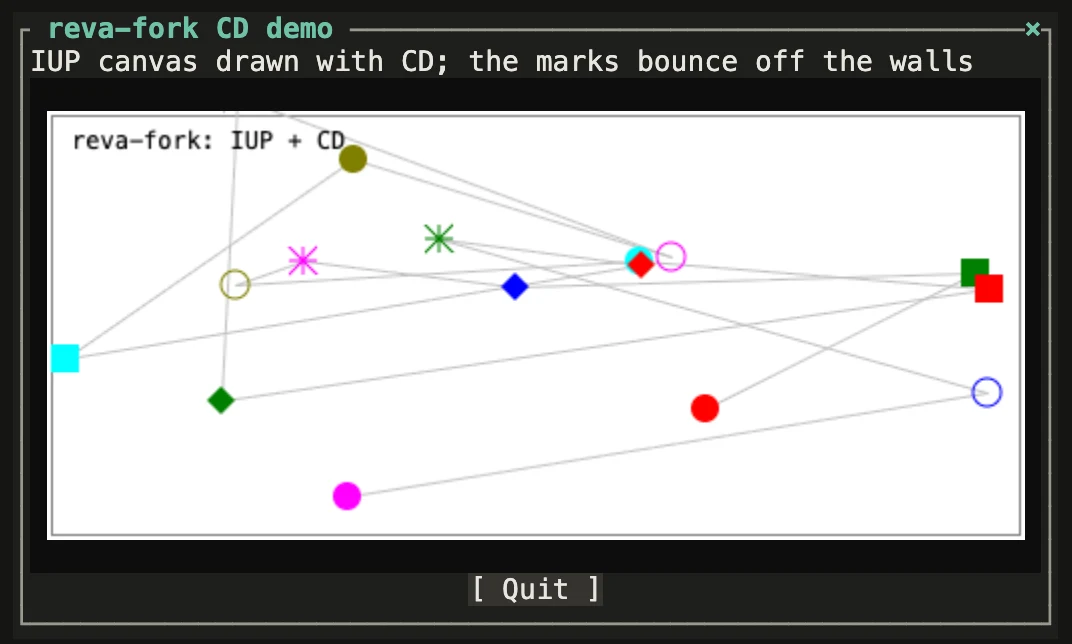
It can draw now, too. IUP is a portable toolkit for building user interfaces, and CD, short for Canvas Draw, is its companion library for 2D graphics, both from Tecgraf at PUC-Rio in Brazil. Reva programs written for them on Windows now open their windows and draw on their canvases in the browser and the desktop app.
Animated terminals for the APL demos

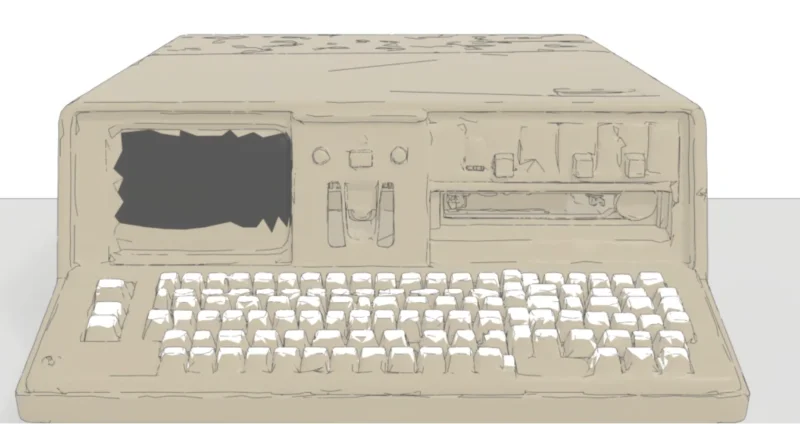
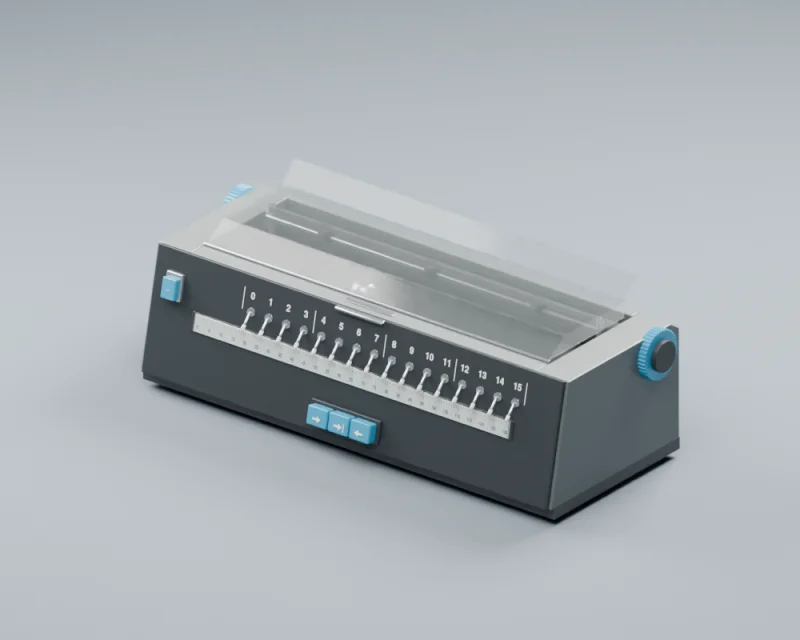

console-3D, the models of IBM consoles from the last Saw, now moves: the Selectric mechanisms animate on all three consoles, in the browser with three.js. The IBM 5100 has a model of its own, still rough, in s5100-3D. The aim is to give my APL live demos animated terminals to type on: the Selectric first, then the IBM 5100’s screen, and later a TRS-80 screen for a future APL-80 live demo. The console-3D repository now has a TRS-80 model too.
Applying a group: idioms and advice
What is group application? In X_eTaL every function takes one argument. A two-argument call like 2 ᵘp̲ow 10 is currying: ᵘp̲ow 2 is already a function, waiting for its right argument, so ᵘt̲woTo ← ᵘp̲ow 2 names a partial application. Put a partial application in parentheses and apply it, drawn (ᵘp̲ow 3) 2 or ('−) 10 (typed (u:p_ow 3)_ 2 and ('-)_ 10), and that is applying a group: the parenthesized expression is the function.
This saw is documentation. I have been refining X_eTaL’s notes on idioms and its best-practice recommendations for this corner of the language: how functions take arguments, currying, partial application, and when to reach for a tuple instead.
Part of it is how it looks. An applied group used to be drawn as typed, trailing _ and all; now it is drawn with both parentheses underlined and no _, the same mark an underlined function name gets, so an underline means “function” for a name and for a group alike. Typing it does not change.
Part of it is the advice itself, now written up as three ways to call a function of several arguments. Real code is why I started: the ray tracer’s shading function takes eight arguments, and X_eTaL-gpu’s logo example calls it like this.
1Written out, the long-hand way: one group applied at a time, nesting a level for every argument after the second. In the drawn form each applied group’s parentheses are underlined:
linear ← (((((((clip ʳᵗs̲hade triangles) materials) logomaterials)
  logolights) environment) origins) directions)
As typed
linear := (((((((clip rt:s_hade triangles)_ materials)_ logomaterials)_
  logolights)_ environment)_ origins)_ directions)
2With a macro: a small macro library of my own, Apply, whose ap:a_pply< takes the function and its arguments in order and writes that same chain when the program is expanded:
"ap:" u̲se< "Apply"
linear ← c"ʳᵗs̲hade" ᵃᵖa̲pply< c"clip◆ triangles◆ materials◆
  logomaterials◆ logolights◆ environment◆ origins◆ directions"
As typed
"ap:" u_se< "Apply"
linear := c"rt:s_hade" ap:a_pply< c"clip; triangles; materials;
  logomaterials; logolights; environment; origins; directions"
3With a tuple, the recommended idiom for three or more arguments. X_eTaL has no overloading, so one name cannot mean both: rt:s_hade takes its first value and returns a function, and a version that takes all eight at once as a tuple is a different function, with a name of its own, here u:s_hadeTuple. Defined once, by wrapping the curried chain, it is one call with no nesting everywhere after that, and a tuple of the wrong size is a type error before the program runs:
ᵘs̲hadeTuple ← { (clip, tris, mats, logomats,
                 lights, env, origins, dirs) →
  (((((((clip ʳᵗs̲hade tris) mats) logomats) lights)
    env) origins) dirs) }
linear ← ᵘs̲hadeTuple (clip, triangles, materials, logomaterials,
  logolights, environment, origins, directions)
As typed
u:s_hadeTuple := { (clip, tris, mats, logomats,
                   lights, env, origins, dirs) ->
  (((((((clip rt:s_hade tris)_ mats)_ logomats)_ lights)_
    env)_ origins)_ dirs) }
linear := u:s_hadeTuple (clip, triangles, materials, logomaterials,
  logolights, environment, origins, directions)
The macro shows what a macro can do; the convention is to write two arguments as x f y and give a function of three or more a tuple.
A debugger, then editors
X_eTaL is getting a debugger, and with it a path into the editors people already use. The plan is a time-traveling debugger built on X_eTaL’s steppable evaluator. Because its values are immutable and shared, a checkpoint is cheap, so stepping backward is a matter of keeping checkpoints and replaying from one. It is also meant to step through macro expansions, so a pipeline of equations can be followed stage by stage, with 2D and 3D views of the arrays along the way.
The core landed this week: stops at statements, breakpoints, stepping over, in and out, continue, and the call stack. Then variables and watches, with breakpoints that take conditions and hit counts.
Next it gets two servers that any editor can talk to: xetal dap, the Debug Adapter Protocol over the debugger, and xetal lsp, the Language Server Protocol over what X_eTaL already has (diagnostics, quick fixes, types and docs on hover, completion, go to definition, formatting). Emacs gets them through its built-in eglot and the dape package; JetBrains IDEs, IntelliJ IDEA and RustRover, through LSP4IJ; and VS Code through an extension, as editor plug-ins rather than a fork of an IDE.
HLASM, on the way to PL/SW
sw-cor24-hlasm, my HLASM-style macro assembler for COR24 from Dogfooding #2, keeps getting sharper so that PL/SW can move onto it. This week it gained a macro library, compound AND and OR conditions in IF, ELSEIF and DOEXIT, more condition forms, and ports of three of the four batches of tiny-C demos: input and output, control flow, and functions, arrays, pointers and strings.
Closing
Sunday is when I reflect on the work that enables or improves future work. This week that was two new places to learn, fine-tuning and manifolds; a renderer that no longer needs Blender; terminals for the APL demos to come; clearer advice on applying a group; a debugger, and with it a way into the editors I use; an assembler getting ready to carry PL/SW; and a Forth that is easier to use.
Part 18 of the Sharpen the Saw Sundays series. View all parts
Comments or questions? SW Lab Discord or YouTube @SoftwareWrighter.